
DiFenit · by Divalby
Arabic software for the shop and the office.
DiFenit builds software for running a business, under Divalby. DiFenit Accounts is available now on Windows, with a view on the phone. DiFenit POS is a separate product we are preparing.
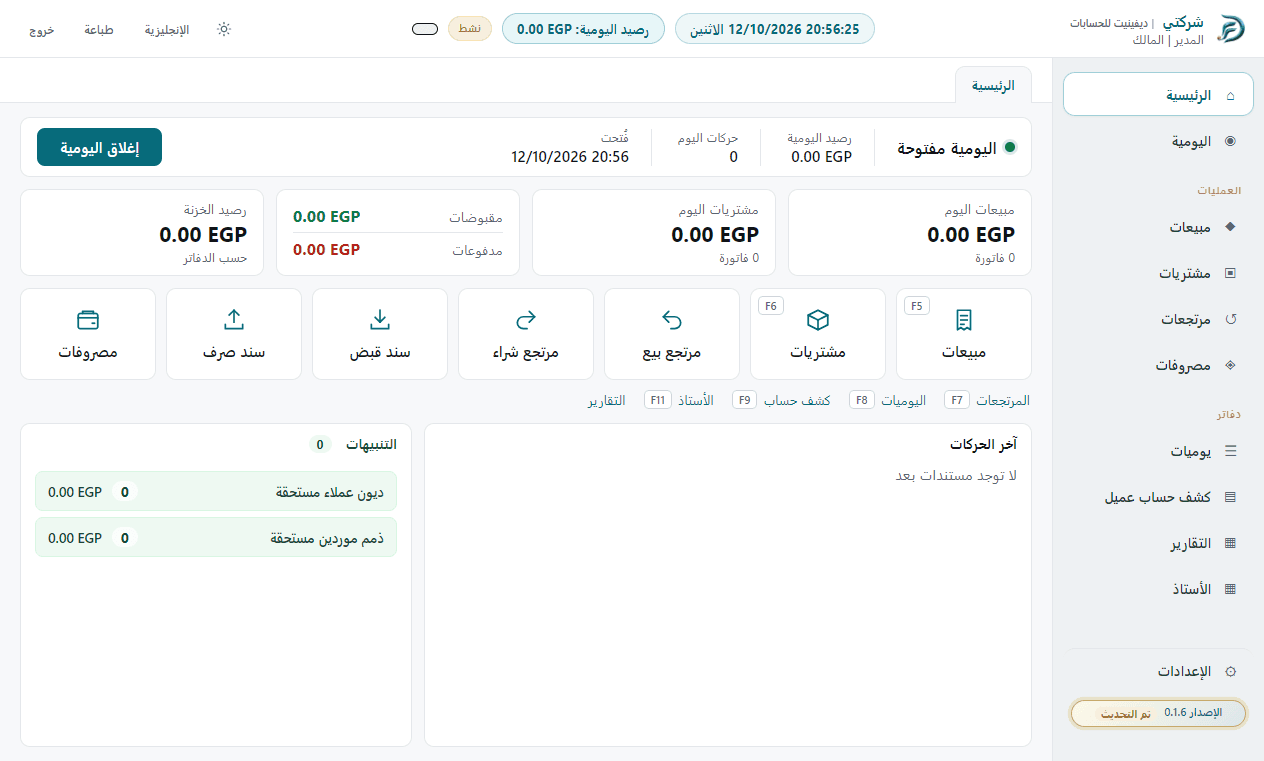
- DiFenit Accounts is available now
- DiFenit POS is being prepared
- Arabic at the core
What it covers
Everything the working day needs, without clutter.
A clear screen for each task, and every document posts straight to your books.
Invoices and returns
Sales, purchase, and return invoices, each with a serial number like SA-0148.
Stock by item
Each item under its code exactly as you type it, priced per piece. Opening stock and adjustments.
Cash box and day
Receipts, payments, and expenses, with the day balance and day close.
Customers and suppliers
A statement for every customer and supplier, with balances at any time.
Reports and printing
Ready reports, your own report builder, printing, and export to Excel.
Users and permissions
Owner, accountant, and cashier, each with their own permissions, and a log of every change.
Getting started
Four steps until you start working.
No payment on the site for now, and no free period.
- 1
Create your account
With your email and a password you choose, then confirm your email.
- 2
Install the app
The DiFenit team sends you the installer. Sign in; each new device needs approval.
- 3
We activate your account
The account waits for activation until our team reviews it.
- 4
Start working
The first month starts on the day of activation.
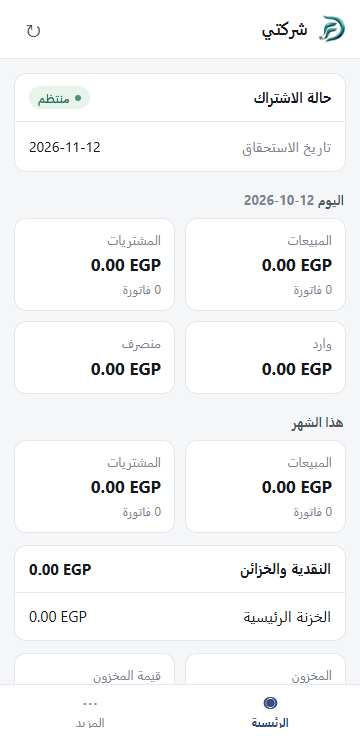
On the phone
Today's summaries, view only.
For people whose phone access is turned on. The app itself stays on Windows.
Questions
Before you start
Is there a free period?
No. The account waits for activation until our team reviews it, and the first month starts on the day of activation.
Do I need a constant internet connection?
No. The app runs on the computer and uploads your entries when the connection returns. A clear badge shows when entries are still waiting to sync.
Which devices does it run on?
The app runs on Windows. On Android you get view-only summaries of the day.
How do I pay?
Not on the site. You pay the monthly fee by Vodafone Cash, InstaPay, bank transfer, or cash, send a payment notice from the app, and our team records it.
Ready to start?
Create your account, and the DiFenit team will help you install and activate the app.